> ## Documentation Index
> Fetch the complete documentation index at: https://docs.cantina.xyz/llms.txt
> Use this file to discover all available pages before exploring further.
# Google SSO Enforcement Rule Setup
Learn how to configure Google SSO enforcement for your Cantina organization.
This document explains how to enforce **Google OAuth/SSO authentication** for users in the `your-company.com` email domain.
## Where to Configure
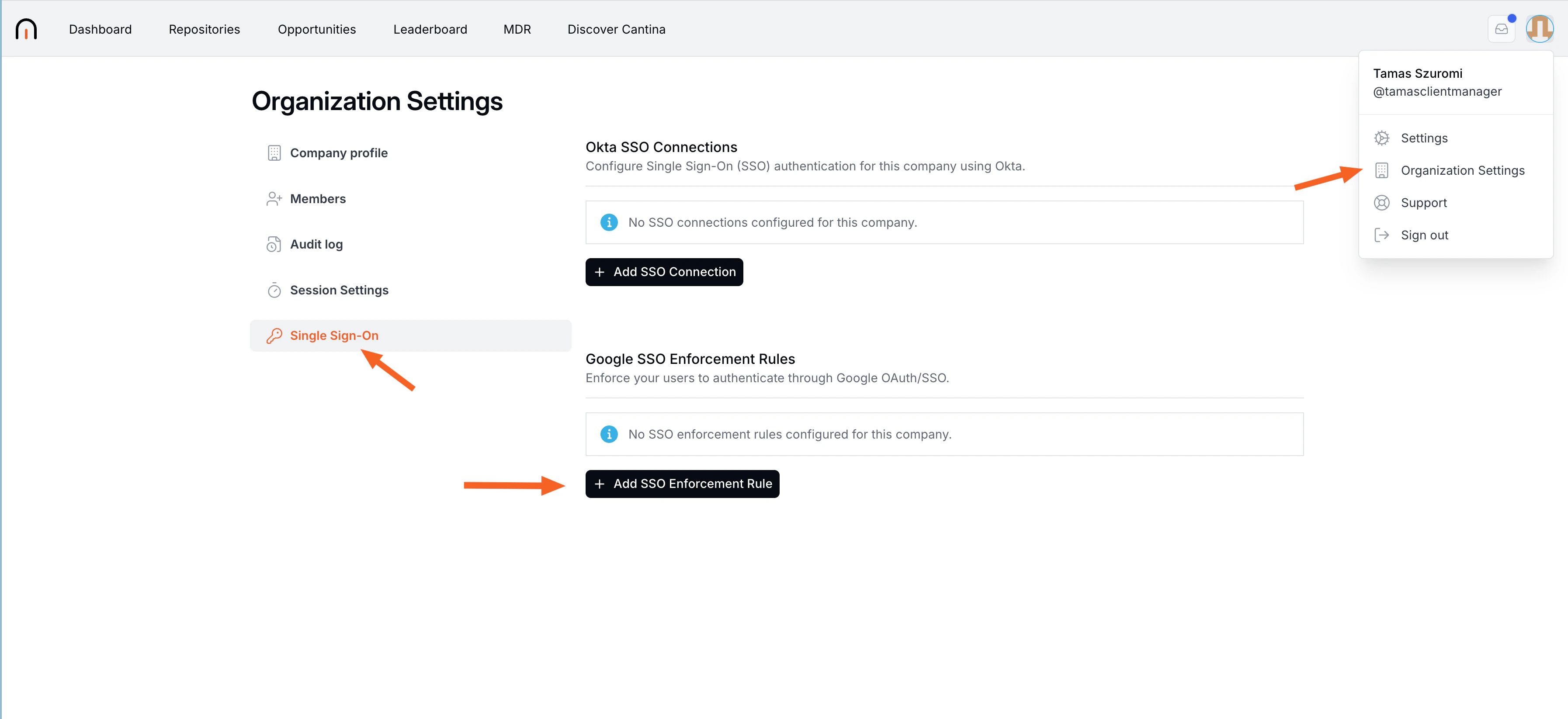
To configure this setting, navigate to:
**Organization Settings → Single Sign-On**
 ## Create SSO Enforcement Rule
1. Select **Add SSO Enforcement Rule**.
## Create SSO Enforcement Rule
1. Select **Add SSO Enforcement Rule**.
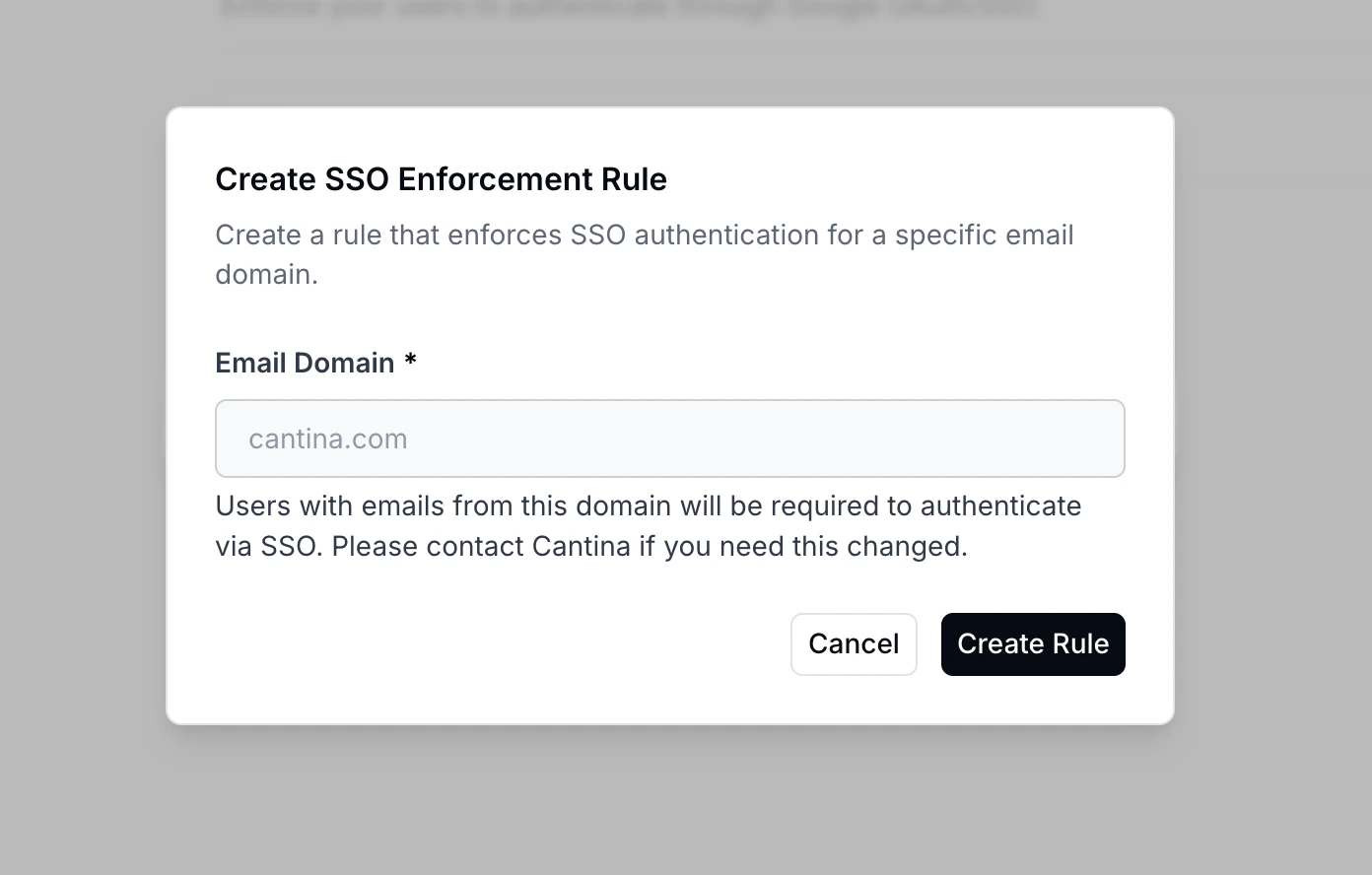 2. In **Email Domain**, enter:
* `your-company.com`
3. Create rule
## Expected Behavior
Once enabled, **all users with an email address ending in `@your-company.com` will be required to sign in using Google SSO**.
Users will no longer be able to authenticate with password-based login methods for this domain.
2. In **Email Domain**, enter:
* `your-company.com`
3. Create rule
## Expected Behavior
Once enabled, **all users with an email address ending in `@your-company.com` will be required to sign in using Google SSO**.
Users will no longer be able to authenticate with password-based login methods for this domain.