- Read: 8 min
- Updated: Apr 28, 2026
- Audience: Workspace owners
§ 01 What onboarding looks like
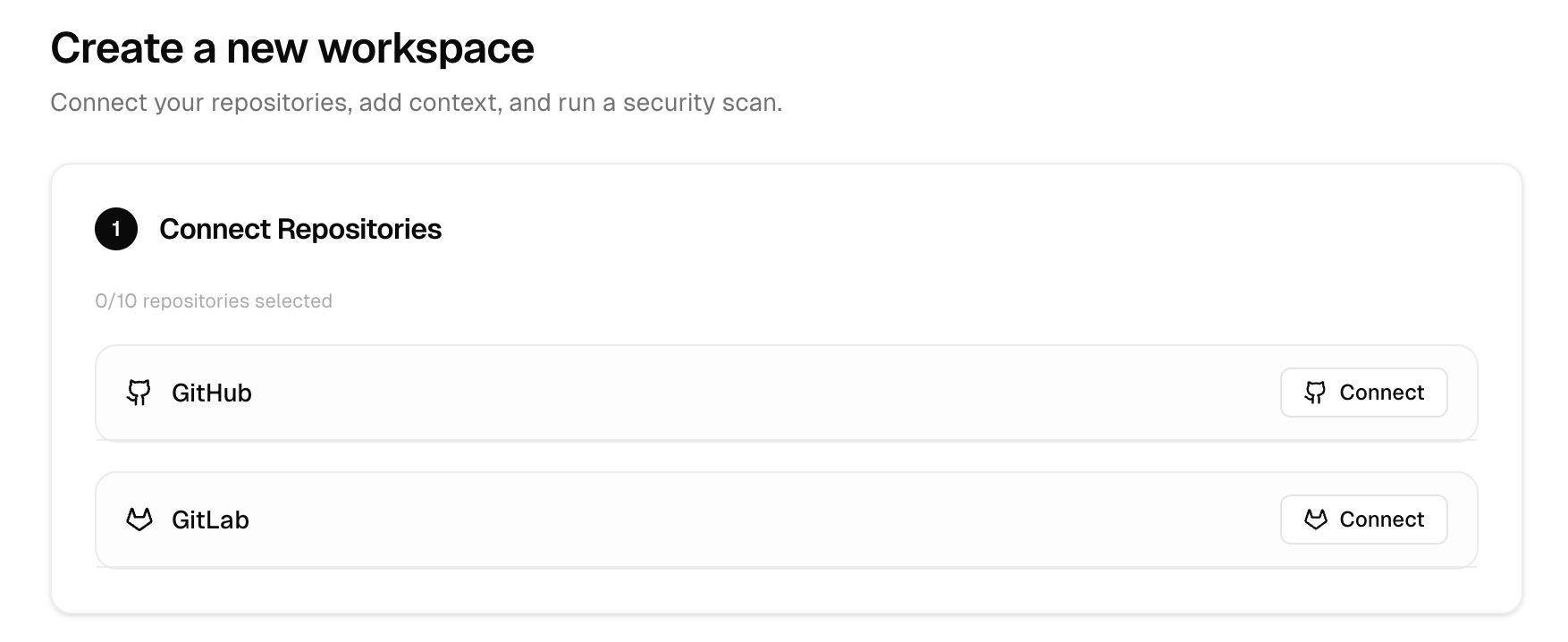
Apex does not need personal access from every engineer. GitHub usually connects through a GitHub App. GitLab supports OAuth or a service-account token. Connecting a provider unlocks repository import - teams still choose repos, refs, and docs before scans run.- Connect a code host - Done once per company or workspace.
- Create a workspace - Choose the exact repositories in scope.
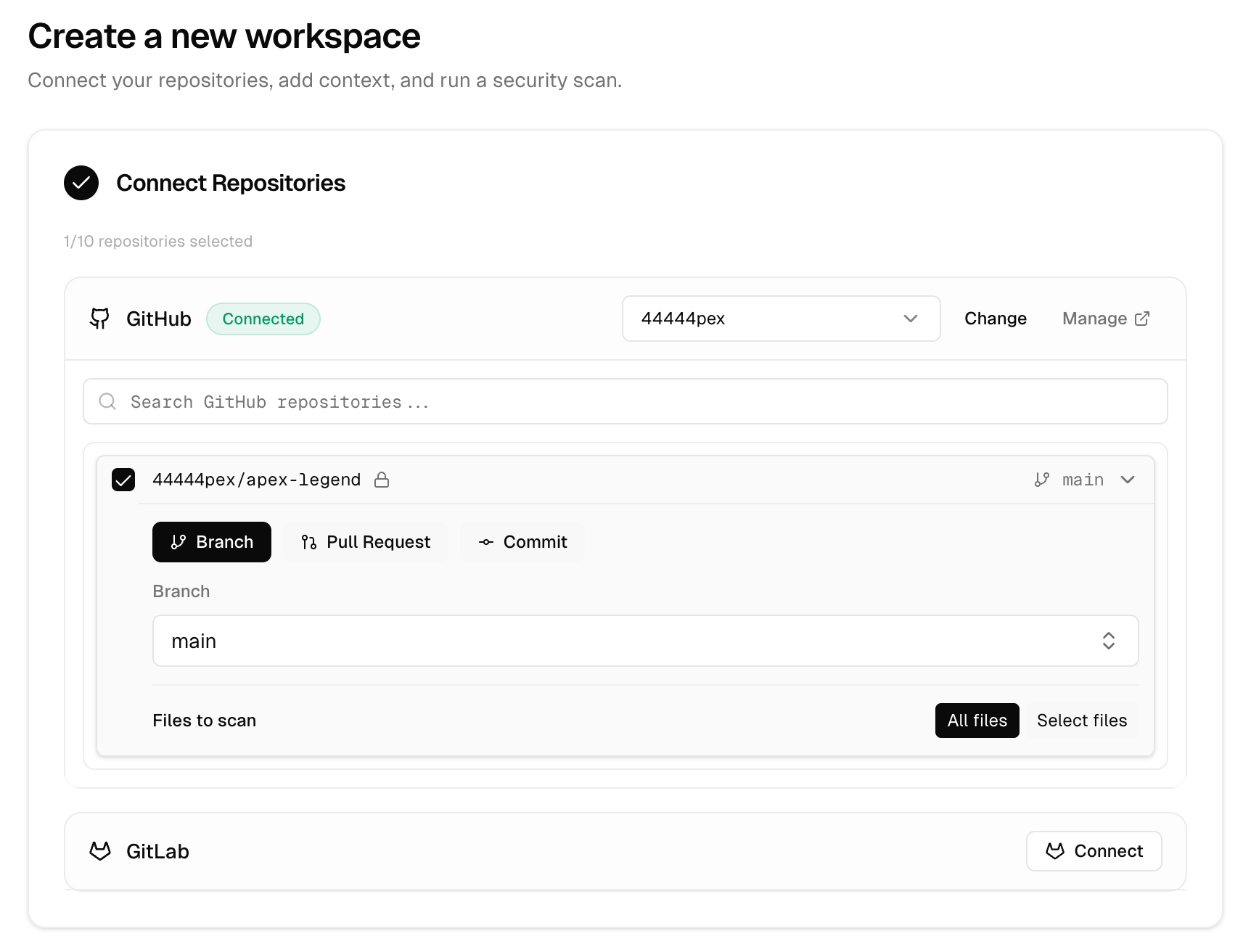
- Pick a ref for each repository - Branch, pull request, or commit.
- Add supporting context - Docs, API specs, architecture notes, sharp edges.
- Run the scan - Only after scope and context look right.
§ 02 Why Apex needs access
- Show repositories available to the connected company or workspace.
- Load branches, pull requests, commits, and repository trees during workspace setup.
- Pull selected source at the exact ref chosen for a scan.
- Keep private repositories in scope without asking users to package or upload code manually.
§ 03 GitHub onboarding
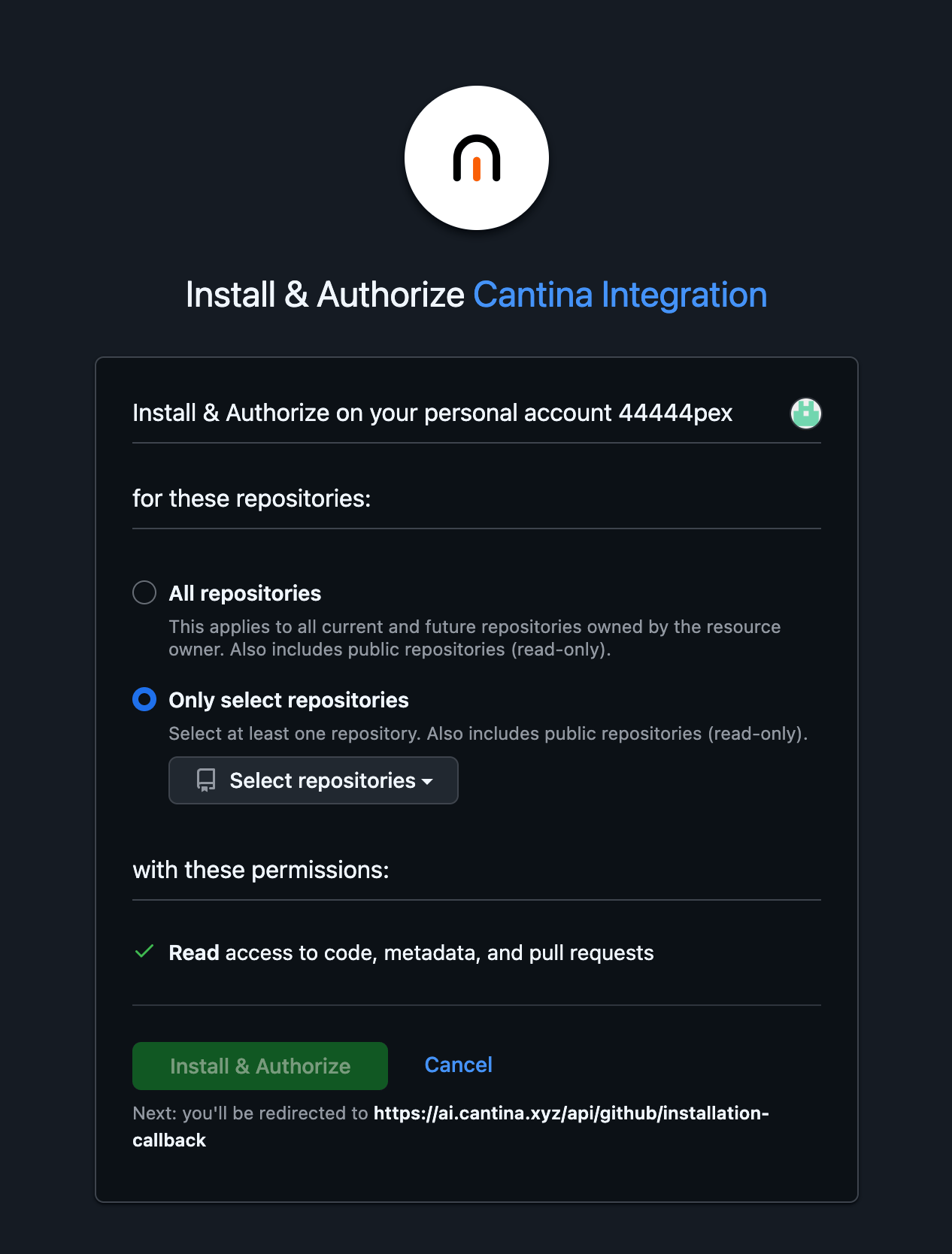
- Apex starts a GitHub App installation flow.
- An organization owner or repository admin may need to approve the installation.
- After installation, the team still chooses exact repositories per workspace.
- If approval is pending, workspace setup can continue and reconnect once approved.
§ 04 GitLab onboarding
- GitLab.com connects through the shared OAuth app.
- Self-hosted GitLab can connect through OAuth or token setup.
- Token setup accepts a personal access token or service-account token with API scope.
- A service-account token is the recommended default over an individual engineer token.
§ 05 What to send ahead
Send these before kickoff and the first workspace usually takes minutes, not days.- Provider: GitHub, GitLab.com, or self-hosted GitLab.
- Organization, account, or group owner - plus the person who can approve the connection.
- Repositories in scope and expected default branches, pull requests, or commits.
- Documentation: architecture, permissions, trust boundaries, key integrations, deployment shape.
- Priority-shaping context: sharp edges, sensitive flows, threat-model constraints, bug classes that matter.
§ 06 FAQ
Does Apex need personal access to every codebase? No. Provider connections happen once at the company or workspace level. Does connecting a provider start a scan? No. You still pick repositories, refs, and context first. What if GitHub App approval is pending? Workspace setup can continue. Reconnect after approval lands. Can scope be limited? Yes - to selected repositories and specific refs (branch, PR, or commit).