

your-company.com email domain.
Where to Configure
To configure this setting, navigate to: Organization Settings → Single Sign-On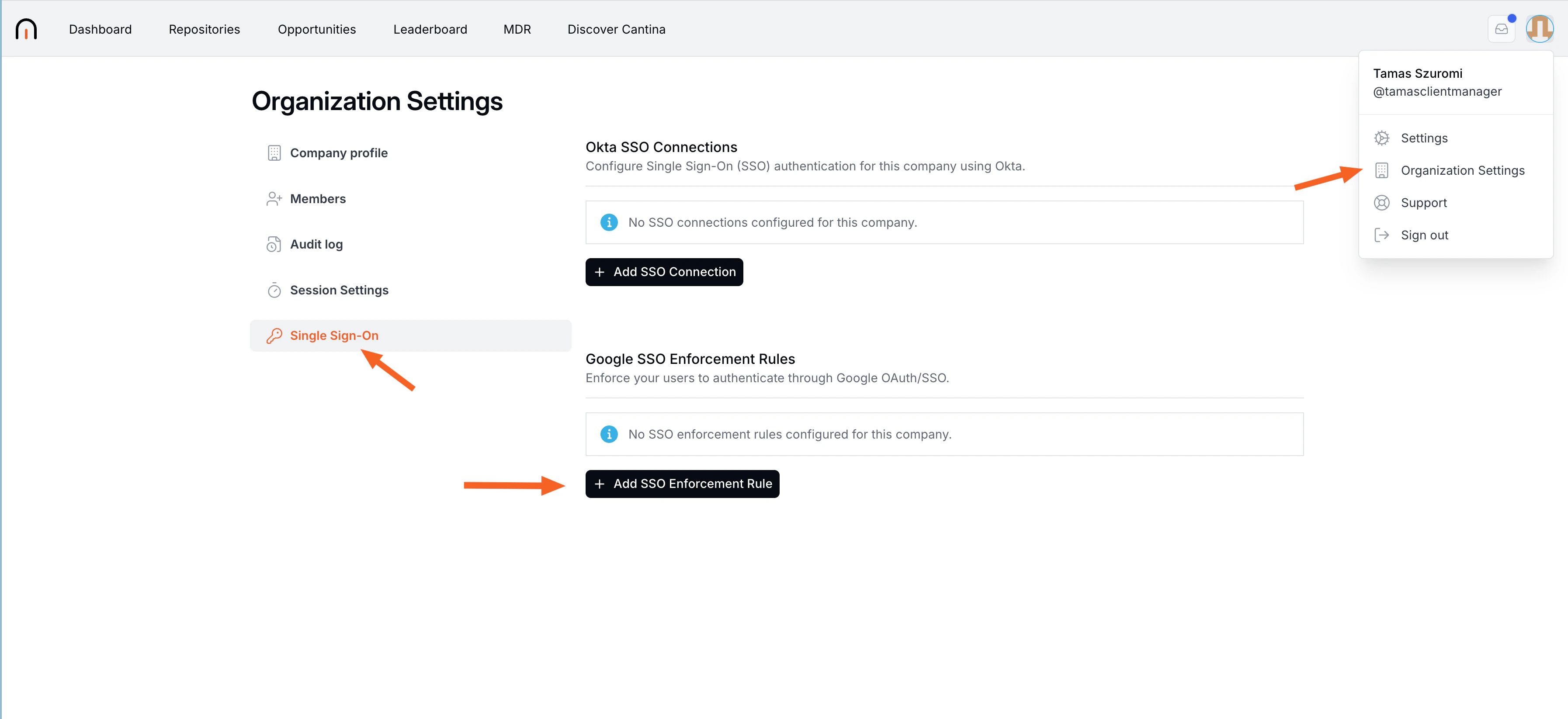
Create SSO Enforcement Rule
- Select Add SSO Enforcement Rule.
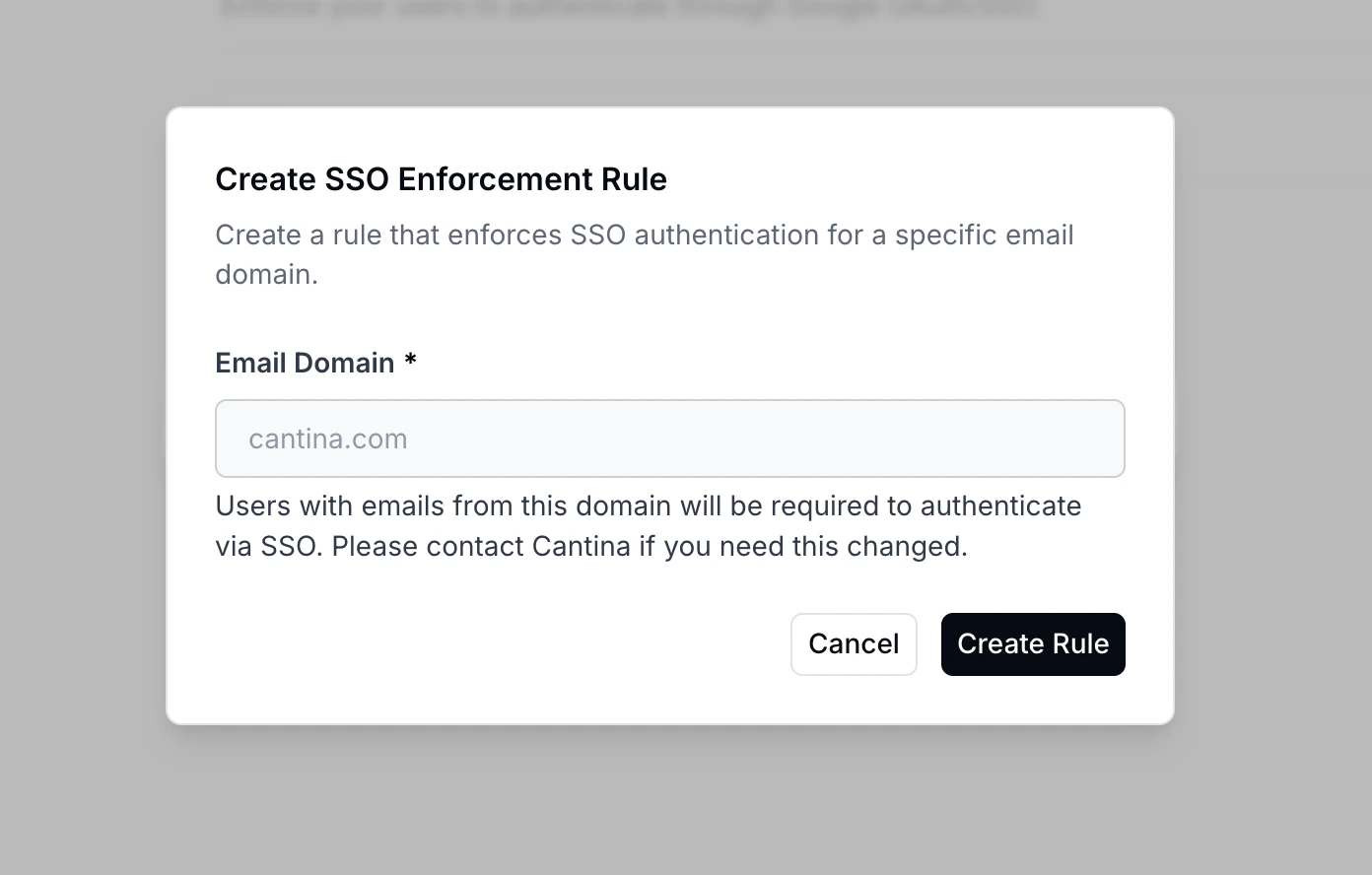
- In Email Domain, enter:
your-company.com
- Create rule
Expected Behavior
Once enabled, all users with an email address ending in@your-company.com will be required to sign in using Google SSO.
Users will no longer be able to authenticate with password-based login methods for this domain.