

Estimated time: 5-10 minutes. You will need access to your Hypernative dashboard and a Clarion workspace.
Prerequisites
- Access to your Hypernative dashboard with permission to manage Actions and Custom Agents
- A Clarion workspace with the Hypernative integration available
Step 1 - Generate the webhook URL and header secret in Clarion
- In Clarion, open the agent that should triage Hypernative alerts
- Add a Hypernative monitor in the agent’s Monitors section
- Clarion generates a webhook URL and a Clarion binding header secret for that monitor
- Copy both values exactly as shown - you’ll need them in the next step
The Clarion binding header secret is shown only during setup or after rotating it. Do not put the secret in the webhook URL.
Step 2 - Create a webhook Action in Hypernative
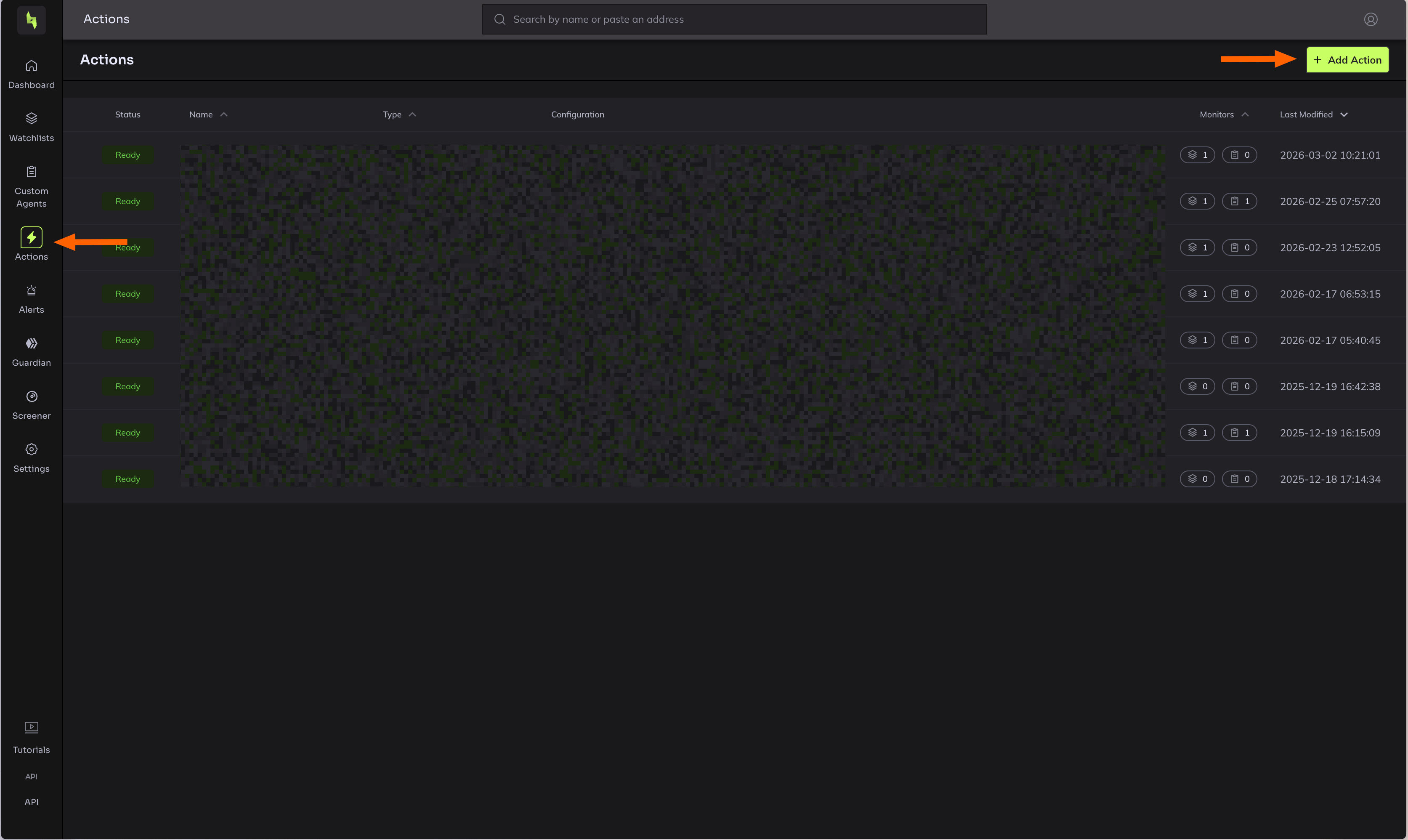
- In the Hypernative dashboard, go to Actions
- Click Add action
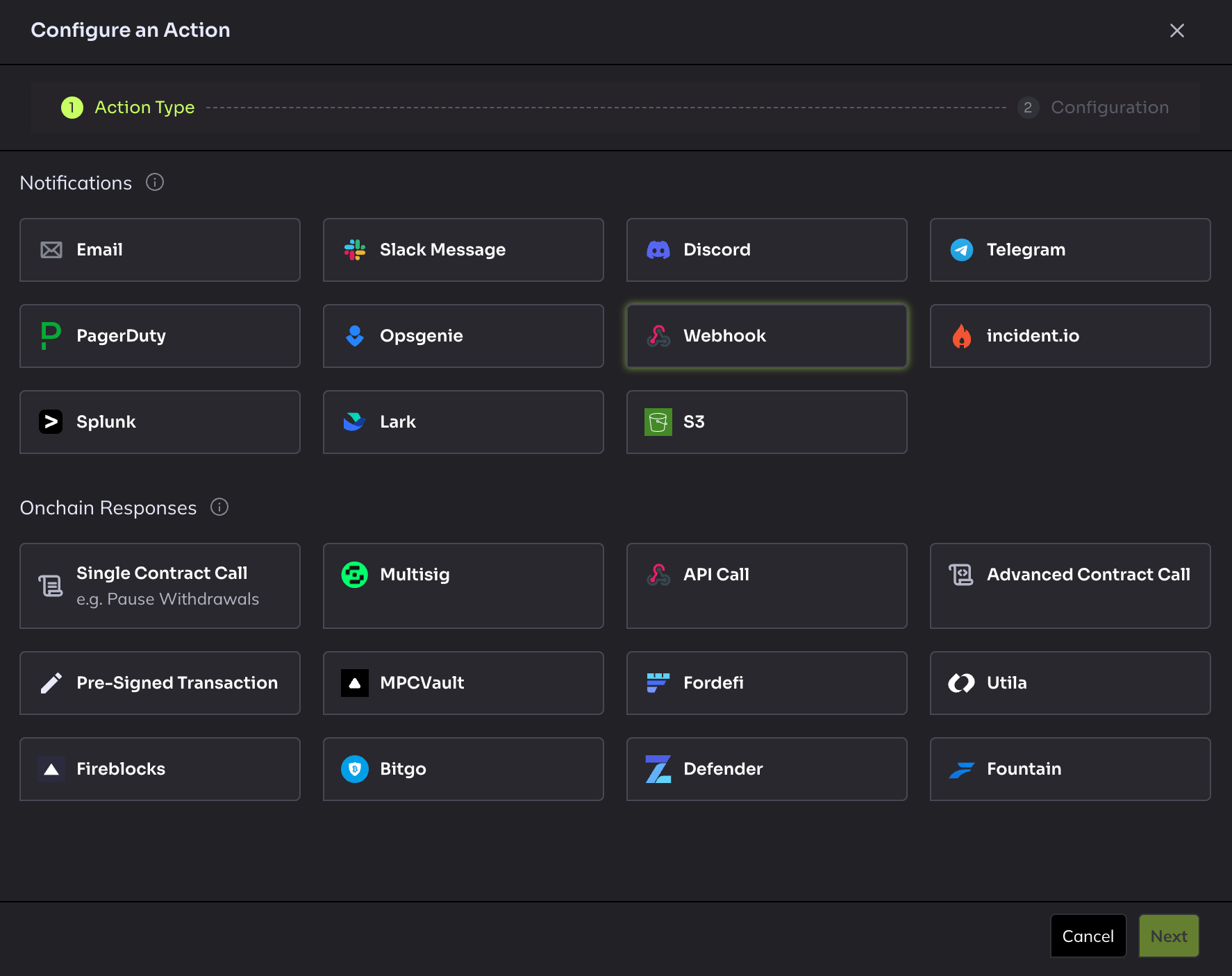
- Select Webhook as the action type
- Configure the action:
- Name: Give it a descriptive name (e.g.
Clarion Webhook) - URL: Paste the webhook URL from Clarion
- Request header: Add
X-Clarion-Webhook-Secretwith the Clarion binding header secret from Clarion
- Name: Give it a descriptive name (e.g.
- Click Save
Important: Do not use the “Send test alert” button - Hypernative does not send test alerts for webhook action types.
Step 3 - Attach the Action to your Custom Agents
- In Hypernative, go to Custom Agents
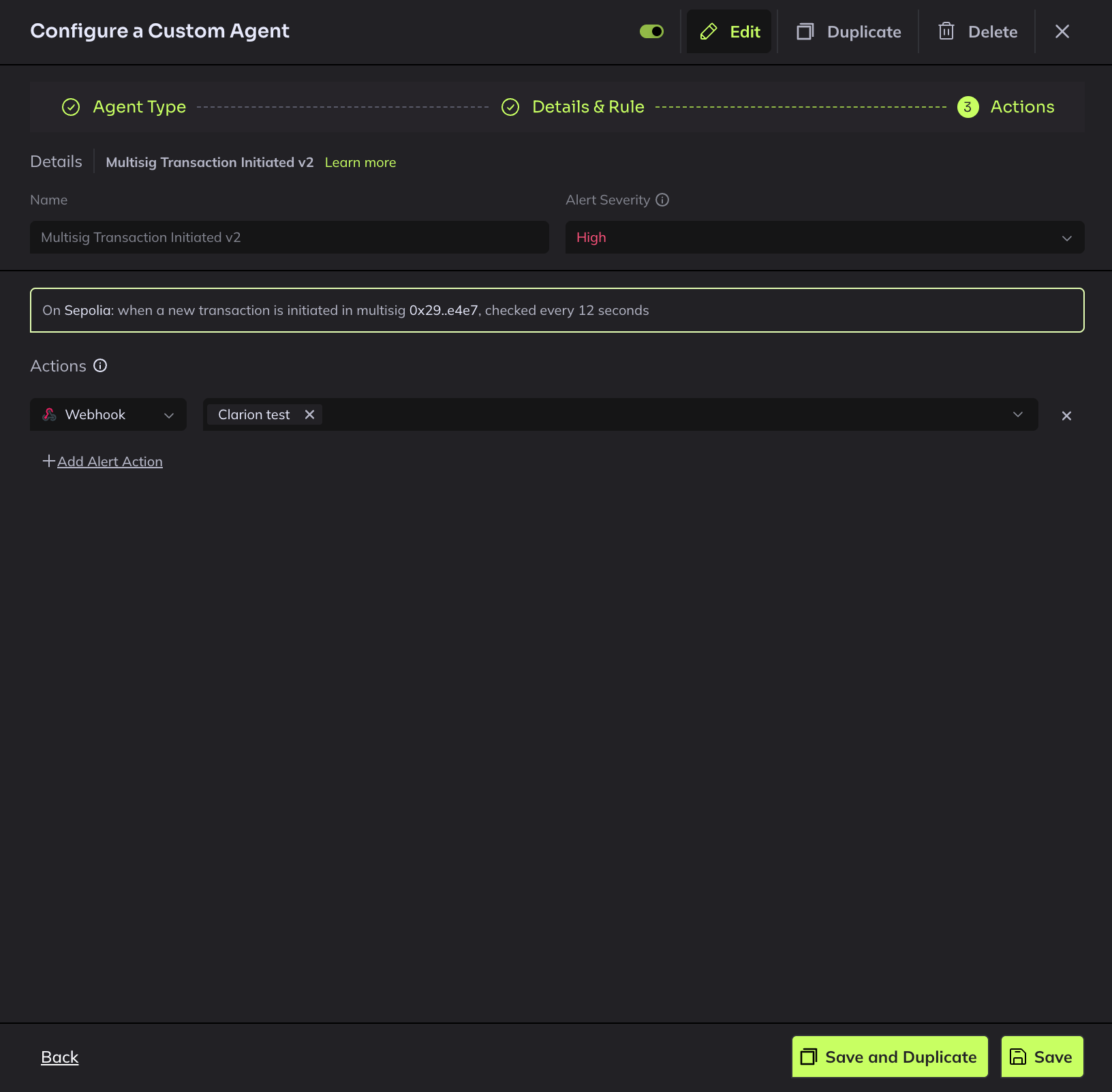
- For each agent you want to send alerts to Clarion, click to edit it
- Add the newly created webhook Action to the agent’s action list
- Save the agent
Step 4 - Attach the Action to your Watchlists
- In Hypernative, go to Watchlists
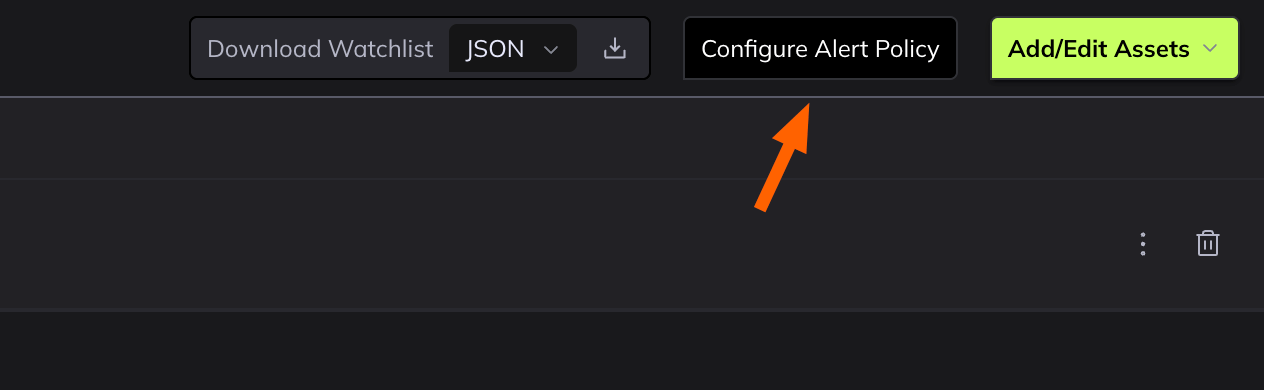
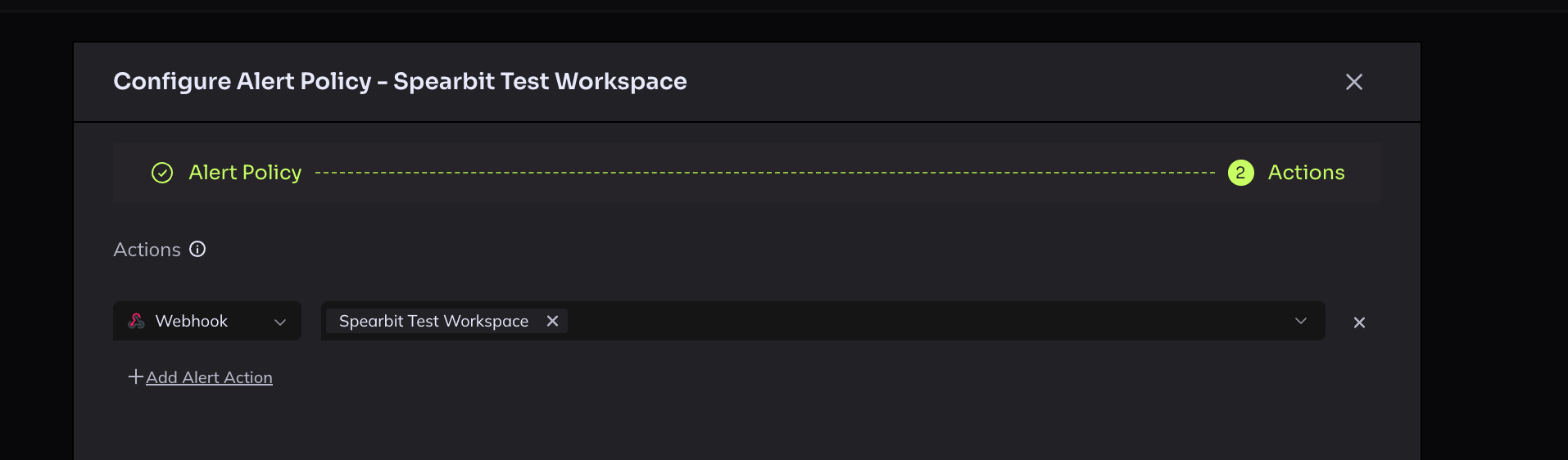
- Open each watchlist and add the Clarion webhook to Actions under the Configure Alert Policy
- Navigate to Actions, and configure the webhook
Step 5 - Verify the integration
Since Hypernative doesn’t support test webhooks, use Alert Replay to verify:- Go to Risk Insights > Alerts in Hypernative (alternatively you can replay alerts from a Watchlist > Alerts as well)
- Remove the default date filter to see recent historical alerts
- Open any recent alert, make sure it was triggered from Watchlists
- Click Alert Replay to re-trigger the alert
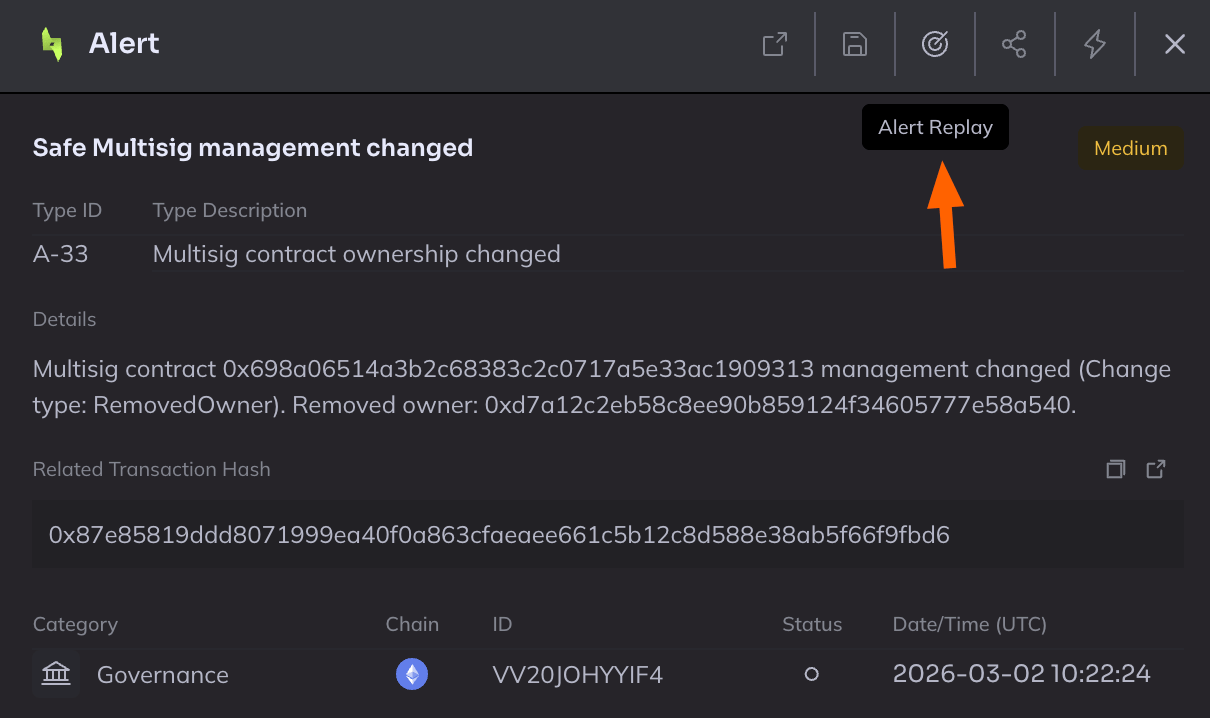
Important: Alert replay is only available for Watchlists and not for Custom agents.
Caution: Alert Replay triggers the alert across all configured action destinations and notification channels - not just Clarion. Make sure you’re okay with that before replaying.
- Check the Clarion alerts page - you should see the replayed alert appear within a few seconds